
Share with my accountant
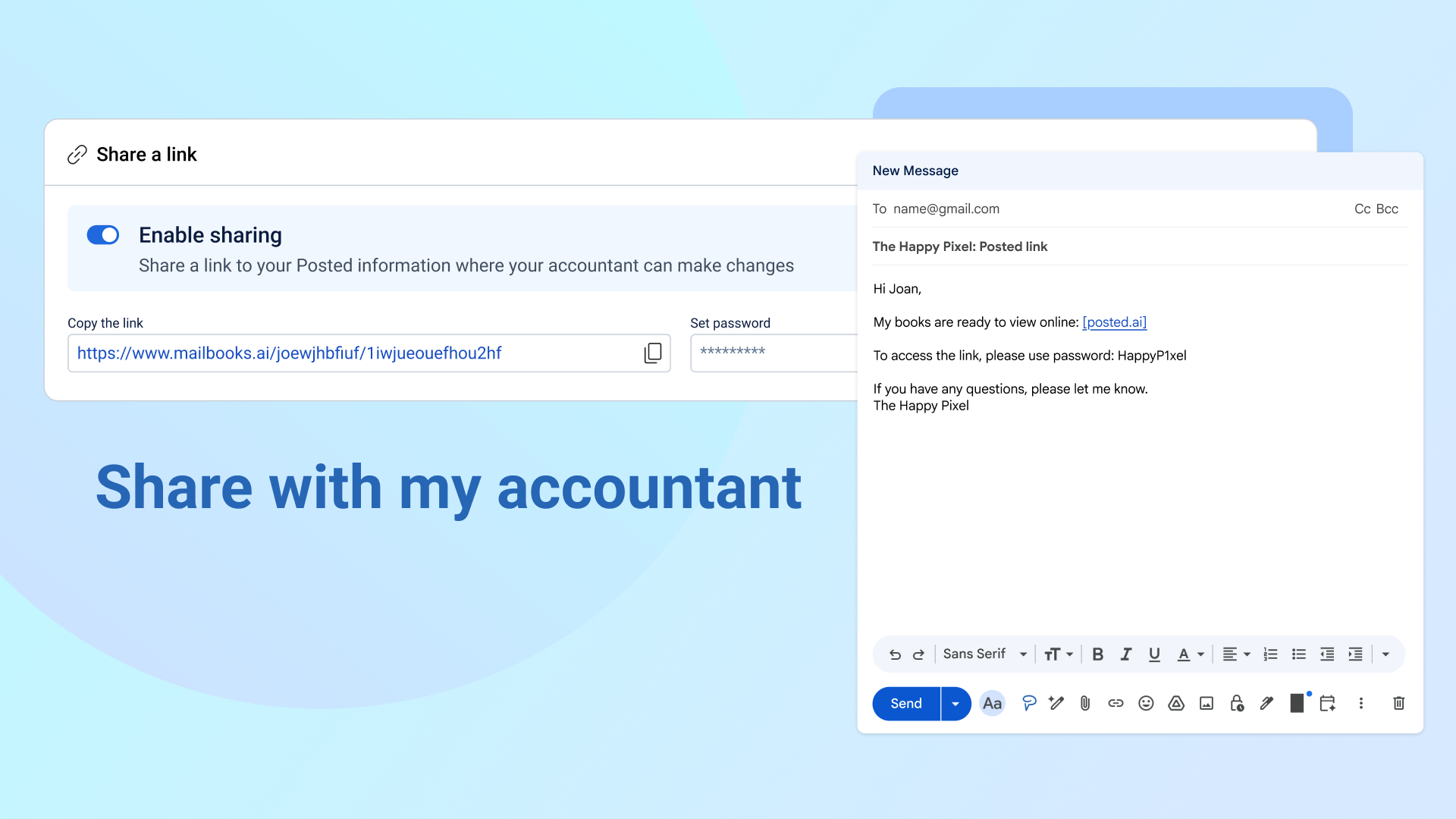
Give your accountant, or anyone else who needs it, a live view of your books. No exports, no back and forth. One link and one password gets them in.
Setting it up
In Settings, open the Share external tab. Turn on sharing, set a password, then copy the link and send it to your accountant however you'd normally share something, like email or a message.
What they'll see
When your accountant opens the link and enters the password, they land straight on your transaction list. The top of the page shows your business name and notes it's "shared by [your email]," so it's always clear whose books they're looking at.
They get the same left-hand menu you do, with full access to Transactions, Accounting (profit and loss, source documents, journals), Operations (customers, vendors, contractors), and Tax, including filing. A few things stay private:
Your Business Feed and your connected inbox aren't shown. They can open any source document attached to a transaction, but they can't jump into the email thread it came from.
In Settings, they can see everything you can, except the Users and roles tab, which only shows your name, and the Share external tab itself, which is grayed out so they can't see or change the password.
In Contractors, they can view W-9 forms you already have on file, but they can't request a new one.
Everything else, including your bank and card connections and your business details, works exactly the way it does for you.
A few things worth knowing
It's one link and one password for anyone you share it with, not individual logins. If you ever need to cut someone off, change the password or turn sharing off entirely. There's no way to revoke access for just one person while leaving it on for everyone else.
If the password changes or sharing gets turned off while someone's using the link, they'll see a message that access has changed instead of being dropped into a login screen.
Since there's no individual login, any changes made through the shared link show up in your books as edited by "External" rather than a name. If more than one person ends up using the same link, you won't be able to tell their edits apart by who made them, only by when.